
Download Android 6.0 stock firmware v1.4.4 for Zidoo X9S TV Box
This firmware is for Zidoo X9S TV Box with Realtek RTD1295 as CPU. Flash Sale Alert! You can now buy Zidoo X9S Android TV Box from Gearbest.com for only $129.99 with free shipping (regular price: $159.81). Hurry up, limited stock!
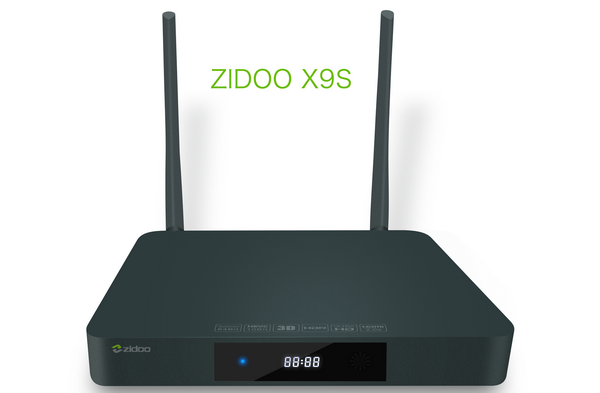
Download Android 6.0 stock firmware v1.4.4 for Zidoo X9S TV Box from here, here or here. Download previous firmware from here.
Firmware details
Archive: ZIDOO_X9S-ota-V1.4.4_20170427
Model: Zidoo X9S TV Box
Image file size: 471 MB
Platform: Realtek RTD1295
Update file name: ZIDOO_X9S-ota-V1.4.4_20170427.zip
Build number: rtk_kylin32-eng 6.0.1 MOB30J eng.maifanghao.20170427.101014 test-keys
Changelog
System:
1. Add 1080P25 resolution option.
2. Fix the issue that virtual keyboard doesn’t appear when air mouse connected.
3. Fix a format error that occurs when you try to format a TF or Udisk or hard drive.
4. Fix the issue that no HDMI display after repetitious plug in and out HDMI.
5. Optimize the fluency of playback from the very beginning of an online video in some certain APPs.
6. Fix the incorrectly display when switch between different live channels in some certain APPs.
7. Fix the issue that a playing episode interruptedly switch to the next episode in some certain APPs.
8. Fix the issue that no respond occasionally in some certain APPs.
9. Fix the issue of USB audio switch.
10. Fix the issue that the status of Downmix 5.1 doesn’t be save after restart.
11. Improve the compatibility of camera, support 1080P camera.
12. Improve the compatibility of Bluetooth, support Bluetooth mouse better.
13. Enable a new online player – nuplayer which will improve streaming media playback.
14. Fix the blurred display when enter some APPs.
15. Improve the algorithms of anti-aliasing, denoting and edge sharpening.
16. Improve the rendering effect, Enhanced the sharpness and clearness.
Applications:
Player:
1. Fix the failure function of ‘Repeat all’ in play mode.
2. Expand the time-shifting range of subtitle to 10 mins.
3. Optimize the synchronicity of subtitle and audio.
4. Add a menu prompt when pause the playback.
5. Add the display of time when pause the playback.
6. Optimize the function of download of subtitles.
Blu-Ray function:
1. Fix the issue that the movie no longer is played after quit by press home key.
2. Add the function that switch region code by press num-key 1, 2, 3.
3. Add auto switching of frame rate for 23.976 and 24.
4. Add auto-downloading of subtitles function.
5. Add 3D Blu-Ray menu function.
6. Add switching chapter by press page down & page up.
7. Optimize the effective and compatibility of Blu-Ray playback with BD menu.
Quick settings:
1. Add a setting of Blu-Ray region code.
2. Add a Wi-Fi hotspot setting.
File manager:
1. Add a setting for manually refresh
2. Fix the issue that the ISO files don’t appear in Videos column.
3. Fix the incorrectly display of progress bar when copying a large file.
4. Fix the error which occurs when you open a CUE file.
Theater:
1. Optimize the sharpness of poster.
2. Add category of 4K and 3D.
3. Improve the UI of the video manager and the movie’s page.
4. Add an IMDB search function in the movie’s page.
Weather:
1. Fix some Temp value don’t follow the switch between Celsius and Fahrenheit.
2. Add cities list
Launcher:
1. Add a password confirms when set the password of APP lock.
How to upgrade
Download and install ZDMC application, use it to apply local update.
Caution: Please do not update firmware unless you know what you are doing, you really want it or it is absolutely necessary. Firmware updates may occasionally have bad results, like bricking your device, temporarily or permanently. The firmware update process is done entirely at your own risk. Before attempting to update the firmware, back up your data.
Did this article help you? If so, please tell me in a comment what do you think about it.
Don’t miss any of our future video tutorials, follow us on Youtube. Like us on Facebook. Add us in your circles on Google+. Watch our photo albums on Flickr. Subscribe now to our newsletter. Biggest firmware download center.















